


Select an option
eSIM
eSIM
Flights
Flights
Experiences
Experiences
Country
Region
Country
Region
Malaysia Flag Malaysia
Malaysia eSIM
Malaysia Flag Malaysia

Pay using Niyo coins

Niyo Coin 6,500 available

Check if your device is compatible

Niyo eSIM: Seamless
Connectivity in Malaysia & Beyond

Skip SIM swaps, queues, and roaming fees. Stay connected throughout your trip.

Find the perfect eSIM Malaysia tourist plan for your trip: Affordable, flexible, easy installation, and auto activation on landing. Whether you’re exploring Kuala Lumpur or looking for the best eSIM for Malaysia, Niyo has you covered.

Choose Validity

All
1-3 days
4-8 days
8-15 days
Validity begins upon reaching Malaysia

Data Plans

Loading data plans...

Built for Indians travelling to Malaysia

What you’ll love about Niyo eSIM

Niyo vs other eSIMs

Why thousands of Indian travellers choose Niyo eSIM

Airalo
Holafly
Ubigi
One eSIM for supported destinations
24/7 live chat support
Refunds
In-app data calculator
Security features

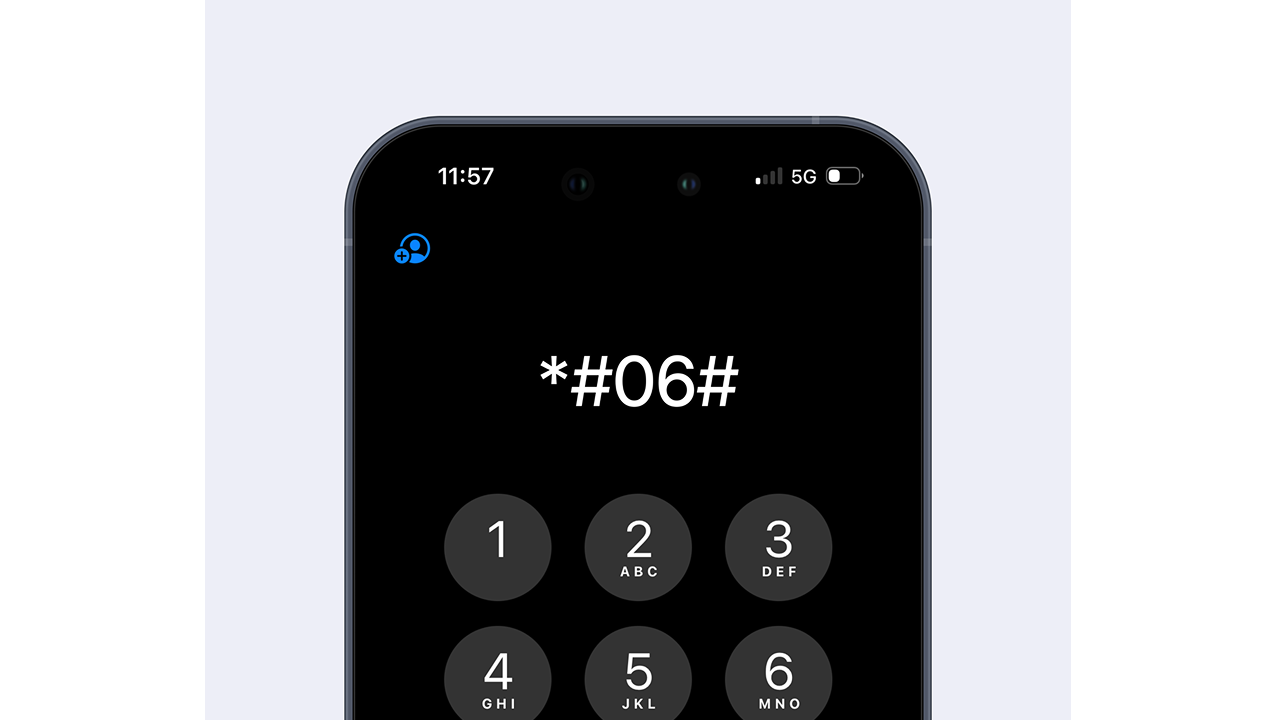
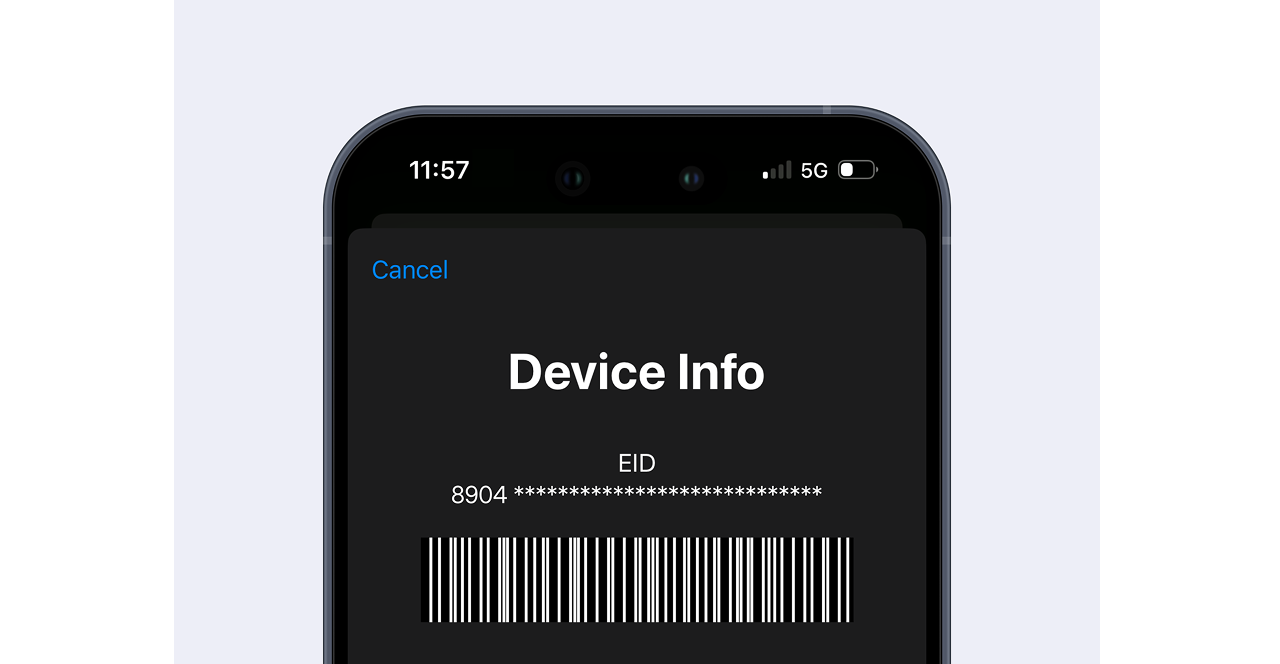
How to check device compatibility for Malaysia eSIM

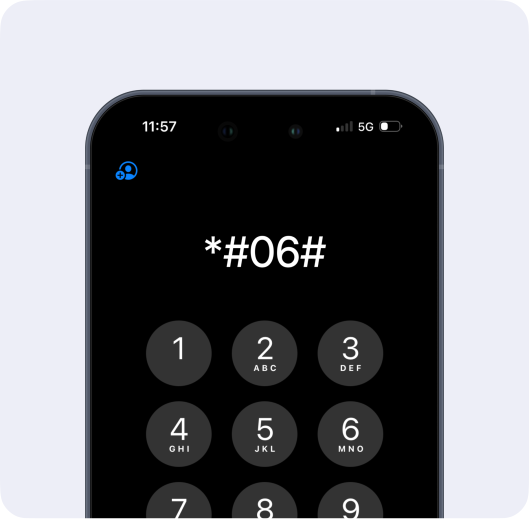
Dial *#06# on your phone
Dial *#06# on your phone dialler
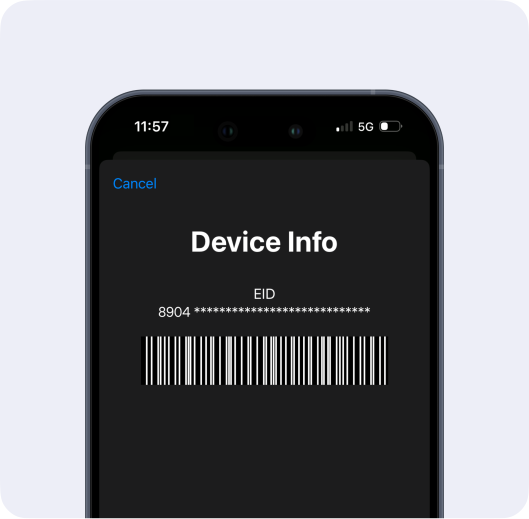
Check for EID presence
EID presence confirms eSIM support

How to install your Niyo eSIM

Install via QR Code
1. Go to Settings > Mobile Service > Add eSIM
2. Click on 'Use QR Code' in the next screen
3. Scan the QR code from your Niyo app or email to install after you buy an eSIM for Malaysia
4. Label it "Niyo Data Malaysia"
5. Turn on Data Roaming when ready for your Malaysia eSIM tourist plan to work
1. Go to Settings > Connections > SIM Manager > Add eSIM
2. Click on 'Use QR Code' in the next screen
3. Scan the QR code from your Niyo app or email to install after you buy an eSIM for Malaysia
4. Label it "Niyo Data Malaysia"
5. Turn on Data Roaming when ready for your Malaysia eSIM tourist plan to work
Install Manually
1. Go to Settings > Mobile Service > Add eSIM
2. Click on 'Enter Details Manually' from the next screen
3. Copy the 'SM-DP + Address' and copy paste the 'Activation Code'
4. Click on 'Next' to install the eSIM
5. Label it "Niyo Data Malaysia"
6. Turn on Data Roaming when ready for your Malaysia eSIM tourist plan to work
1. Go to Settings > Connections > SIM Manager > Add eSIM
2. Click on 'Enter activation code'
3. Enter the activation code
4. Label it "Niyo Data Malaysia"
5. Turn on Data Roaming when ready for your Malaysia eSIM tourist plan to work

What Niyo Travellers Say

Real stories from real people

Kushagra Gupta
"Really simplifies travel!"

Everything went smoothly from ordering to activation of the eSIM. I had great data connectivity during my trip.

Jun 2025

Juhi Verma
"Exactly what a traveler needs!"

Installing the eSIM was extremely easy and the in-app instructions were clear. I had no issues even in areas where other networks failed.

Jun 2025
Ishit Vyas
"Affordable and incredibly convenient!"

It was super easy to use and way more affordable than other market options. I could easily recharge when I needed more data.

Jun 2025
Nayan Jodhawat
"Reliable connectivity!"

The activation process was seamless and it worked automatically the moment I landed. No glitches throughout.

May 2025
Varshith Reddy
"Hassle free!"

I simply followed the QR code instructions, and within minutes, the eSIM was up and running. It worked perfectly during my trip.

May 2025
Ready to travel smarter?

Say goodbye to physical SIM hassles and buy your eSIM online in minutes.

eSIM connectivity illustration

Related Videos

eSIM Tutorial Video 1

How to set up the Niyo eSIM on Android?

By
Team Niyo
eSIM Tutorial Video 2

How to set up the Niyo eSIM on an iPhone?

By
Team Niyo
eSIM Tutorial Video 3

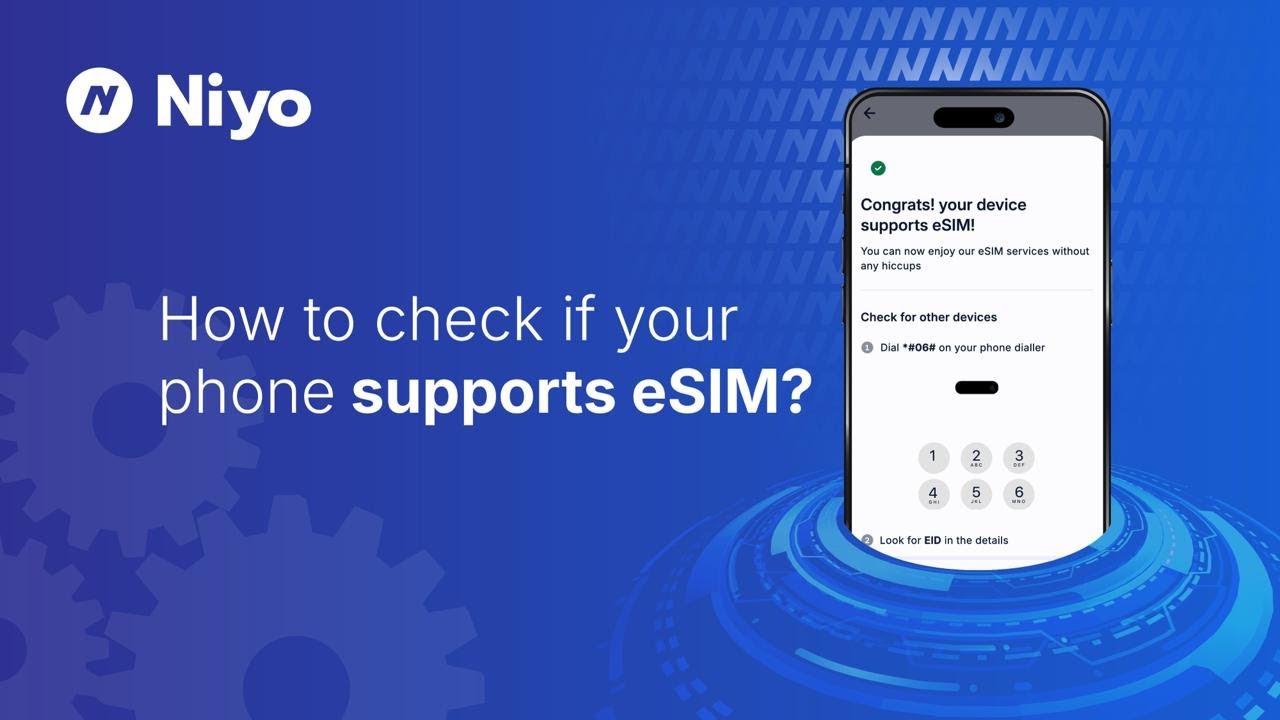
How to check if your phone supports the eSIM?

By
Team Niyo
eSIM Tutorial Video 4

How to purchase the Niyo eSIM?

By
Team Niyo

FAQs

The best eSIM for Malaysia is one that offers reliable coverage, instant activation, and affordable data plans. Niyo eSIM Malaysia is designed for Indian travellers, making it easy to stay connected whether you’re visiting cities or exploring remote areas. As a trusted Malaysia eSIM provider, Niyo offers flexibility and security that most physical SIMs can’t match.

Yes. The Niyo eSIM for Malaysia is perfect for travellers, whether you need a Malaysia eSIM tourist plan for a short trip or an extended stay. You can install it before you travel, so you’re connected the moment you land. This makes it a great alternative to buying a physical SIM from a kiosk.

Absolutely. With Niyo, you can buy eSIM Malaysia directly from the Niyo website and app. The process is fully digital and you’ll receive your QR code for activation instantly after purchase. This eSIM Malaysia online option saves you from queues at the airport and lets you start using your virtual SIM Malaysia right away.

After you buy eSIM Malaysia through the Niyo website and app, you’ll receive a QR code via email, WhatsApp, and in-app. On your phone, go to Settings, Mobile Service, select “Add eSIM,” scan the code, and label it (e.g., Niyo Data Malaysia). Turn on data roaming when you arrive, and your eSIM for Malaysia will be active.

The Niyo eSIM for Malaysia tourist plans offer multiple benefits:
• No international roaming charges from Indian telcos
• Works alongside your existing physical Indian SIM
• Instant activation and full control via the Niyo app
• Coverage from a trusted Malaysia eSIM provider partner
• Eco-friendly virtual SIM Malaysia with no plastic waste

Yes. Your Niyo eSIM Malaysia can work alongside your existing Indian SIM. This means you can keep your Indian number active for calls and SMS while your eSIM for Malaysia tourist handles your data needs during your trip.

For many travellers, yes. The Niyo eSIM Malaysia lets you skip the hassle of finding a Malaysia eSIM tourist kiosk or store. You can install it in advance, even before you fly, avoid paperwork, and enjoy uninterrupted data from the moment you arrive — making it a smarter choice than most local SIM cards.

*FUP Limit: 1 GB at full speed per day, after which speed reduces to 256 Kbps

₹1050
Including taxes